ATTE text reminders
Text message reminders
ATTE can text you when a check-in on one of your routines is due. Reply Y if you did it or N if you skipped it, and it's logged in the app — no need to open it. Texts are optional, off by default, and only start after you sign up in the app and confirm your number.
Up to 4 messages a day. Message and data rates may apply. Reply STOP to cancel, HELP for help. US and Canada mobile numbers only. See the SMS Terms and Privacy Policy.
How you sign up
Sign-up happens only inside the ATTE app, in Settings → Text reminders, while signed in to your account. There is no other way to be added, and signing up is never required to use ATTE.
- Tap Set up texts and enter your mobile number.
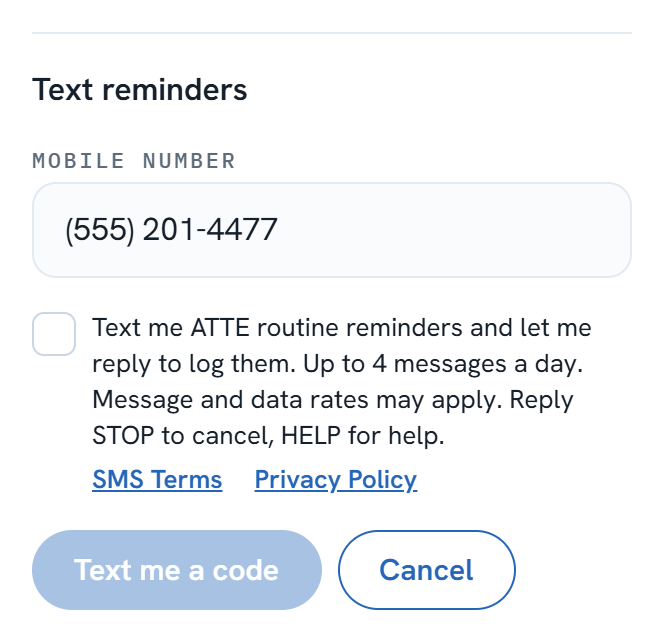
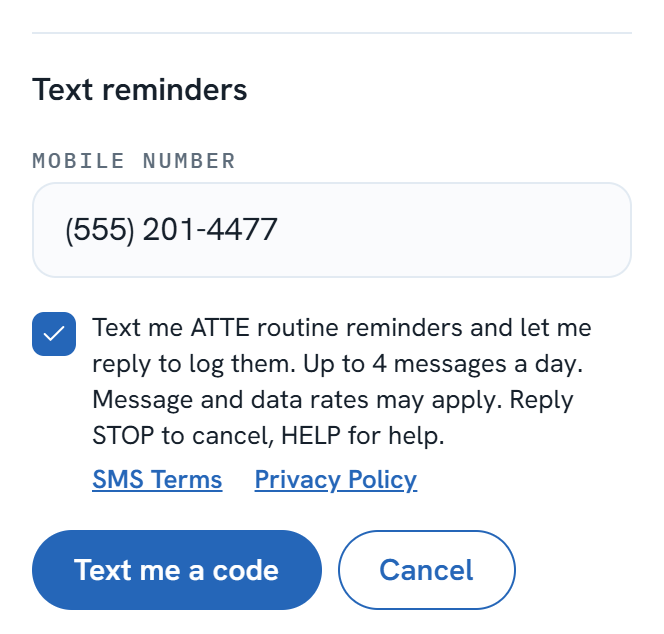
- Read the wording below and tick the box. It starts unticked, and the Text me a code button stays disabled until you tick it. Links to the SMS Terms and Privacy Policy sit directly beneath it.
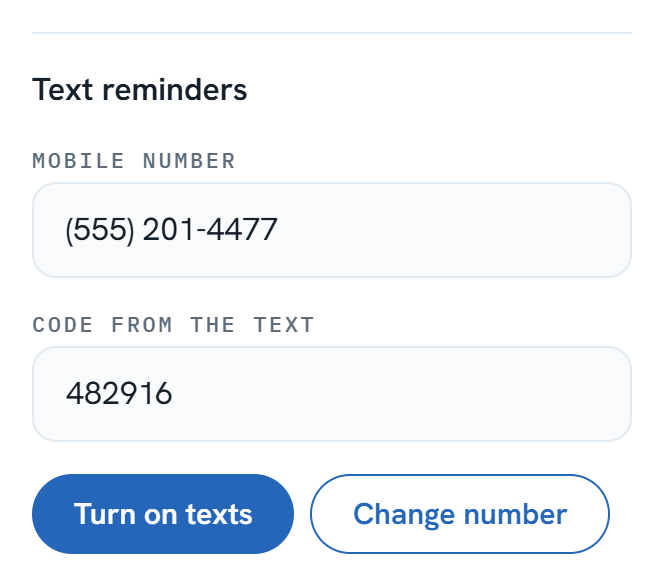
- We text a one-time code to the number. Enter it and tap Turn on texts. Texts are switched on only once the code is confirmed.
- You get a confirmation text right away (below).
The exact wording you agree to
We store the date and time you agreed and the version of this wording.
What we send
Every message starts with "ATTE:". Reminders are about your own routines only — never marketing or promotions.
Confirmation, right after you sign up
A reminder, and your reply
Routine names appear only if you turn on "Show routine names and question topics" in Settings; otherwise reminders use a general label such as "your routine".
Weekly progress photo reminder (if you turn it on)
If we haven't heard from you in 60 days
Stopping and help
- Reply STOP (or CANCEL, END, QUIT, UNSUBSCRIBE) to any message to stop all texts. You'll get one confirmation and nothing after it. Your number is deleted from your ATTE account.
- Reply HELP for help, or email support@theatte.com.
- You can also turn texts off any time in Settings → Text reminders.
Carriers are not liable for delayed or undelivered messages.